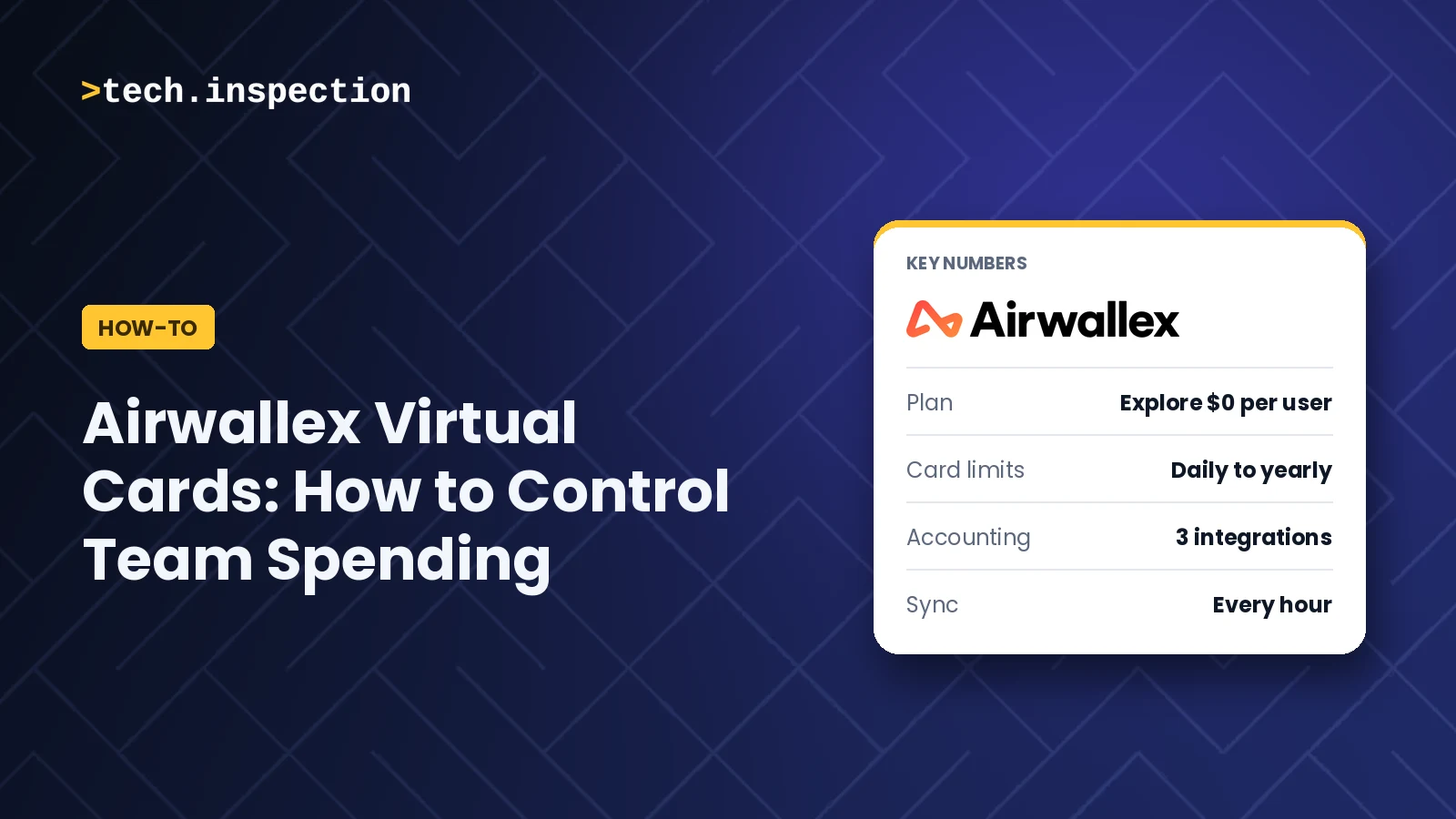
One careless swipe on a shared company card can cost your business money, and a subscription you forgot to cancel keeps charging every month. Airwallex virtual cards fix that by giving each tool, vendor, or teammate its own card with its own limit and its own rules, so you decide how, where, and how much gets spent before the payment happens.
Short answer: Airwallex virtual cards give each tool or teammate a separate card with spending limits, merchant restrictions, and a one-click freeze. They suit growing, remote and international teams. Issuing cards costs nothing extra on the $0 Explore plan, but you need a US business account, and currency conversion adds 0.5% to 1%.
What are Airwallex virtual cards?
Airwallex virtual cards are digital Visa debit cards for business spending, drawn from your Airwallex balance rather than a credit line, with unlimited cards available.
Each card has its own 16-digit number, expiration date, and security code, just like a physical card, but nothing is printed. That is what lets you tie every payment to one purpose. We walk through the whole flow in the video above, and every limit and fee below comes from Airwallex’s own pages, checked on November 16, 2026.
| Detail | What to know | Source |
|---|---|---|
| Card type | Visa debit card drawn from your Airwallex balance, not a credit line | Virtual cards page |
| Number of cards | Unlimited virtual cards | Virtual cards page |
| Card kinds | Single-use (closes after one transaction) and multi-use (stays active until frozen or canceled) | Virtual cards page |
| Where it works | Online, in the app, and in stores that accept Visa, plus Apple Pay and Google Pay, but not ATM cash withdrawals | Virtual cards page |
| Foreign transaction fee | 0% on card spend, but converting into a currency you do not hold costs interbank rate plus 0.5% (major currencies) or 1% (others) | Virtual cards page |
| Issuer | Community Federal Savings Bank, Member FDIC, on the Visa network | Virtual cards page |
Who can use Airwallex virtual cards, and what do they cost?
Airwallex virtual cards are open to US-registered businesses with an approved account, and issuing cards costs nothing extra on any plan, according to Airwallex’s US pages.
To apply you need an EIN, formation documents and ID for each beneficial owner, and approval typically takes 1 to 3 business days. After that, you pay for the plan, not the cards.
| Plan | Price | Spend users | Best for | Key limit |
|---|---|---|---|---|
| Explore | $0 per user per month | Up to 10 free | Small teams starting out | Conversion fee of 0.5% to 1% when you do not hold the currency |
| Grow | $12 per user per month, plus a platform fee based on team size | Up to 250 | Growing teams | Platform fee varies by team size |
| Accelerate | Custom pricing | Not stated | Larger businesses | Pricing not public |
Airwallex says it charges the monthly fee per business legal entity and counts a “user” as an active cardholder or anyone who submits, approves or pays an expense in the billing period. Its pricing page also lists up to 2% cash rebates on local USD spend, which carry their own terms. We checked the plans on Airwallex’s pricing page on November 16, 2026.
How do you create a separate Airwallex virtual card for each tool?
You create Airwallex virtual cards from the Cards page as an admin, one card per subscription, so each payment has a clear purpose.
Think of cloud hosting, marketing software and design tools: each gets its own card, available immediately. When a charge arrives, you know which service it belongs to without matching it to a statement. These are the steps from Airwallex’s help center:
- Log in as an admin and open
Cards. - Click
New card. - Choose a company card (for vendor spend) or an employee card.
- Select the user. An employee card goes to one person, and a company card can be shared with up to three card contacts.
- Give the card a nickname, such as the tool’s name.
- Set the spend limit.
- Add advanced card controls if you need them.
How do you set spending limits on Airwallex virtual cards?
Airwallex lets admins cap each virtual card by day, week, month, quarter, year or all time, and restrict it to approved merchant categories such as software.
If your HubSpot subscription costs $500 a month, you give its card a $500 monthly limit, the example we use in the video. According to Airwallex’s help center, recurring limits reset at midnight UTC and unused amounts do not carry over. An Airwallex guide adds that weekly limits reset on Mondays, monthly limits on the first of the month, and that every card starts with a $50,000 per-transaction limit that support can raise.
Merchant restrictions work the same way. The same guide says admins can restrict a card to pre-approved merchant categories, such as software, travel or advertising, so a software card cannot be used for anything outside that category.
Can you see all your Airwallex card spending in one place?
Yes: Airwallex shows payments from your virtual cards in one dashboard, so you stop checking several banks to see where the money went.
This matters most for international spending. Airwallex holds balances in multiple currencies, including US dollars and euros, so a card can pay a foreign vendor from a matching balance and avoid a conversion. Remember the cost when you do not hold the currency: Airwallex converts at the interbank rate plus 0.5% for major currencies and 1% for others.
In our video, transactions appear on the dashboard as soon as a payment is made. That lets you catch a wrong invoice amount or a card nearing its limit the same day, instead of weeks later on a statement. Airwallex’s pages we checked do not describe this real-time view in detail, so confirm it in your own account during setup.
How does Airwallex handle expense recording and accounting?
Airwallex syncs with Xero, QuickBooks and NetSuite and, according to its integrations page, reconciles transactions every hour.
Most teams lose hours at month end matching receipts to payments. With the integration on, card expenses reach your books already organized. You can also import your chart of accounts, tracking categories and tax rates into Airwallex, so expenses are coded correctly from the start. For receipts, the app lets cardholders upload them and sends a reminder after each purchase. See Airwallex’s integrations page.
How do you control team card permissions in Airwallex?
Airwallex gives each user a role: an Employee can hold a card, while a Finance Manager can issue cards to new and existing users.
Instead of sharing one company card, you issue individual virtual cards to the people who need them. Airwallex’s user access guide lists the default roles: Owner, Admin, Finance Admin, Finance Manager, Bookkeeper, Employee and Developer. If those do not fit, an Owner, Admin or Finance Admin can build a custom role from individual permissions. Airwallex also keeps separate expense roles, where an Expense User sees only their own card expenses.
How do Airwallex virtual cards protect your business payments?
Airwallex virtual cards limit the damage of a bad payment because you can freeze or cancel one card without touching the others or your main balance.
There is no physical card to lose or steal. If you are trying new software, a single-use card closes after one transaction, so you cannot keep paying for a trial you forgot to cancel. If a merchant looks suspicious, you freeze the card in the web or mobile app and the charges stop. Cancelling a card also stops future charges, and merchant refunds still go to your account balance. The video says you can delete a card, but the Airwallex pages we read describe freezing and cancelling, so use those terms.
What are the limits of Airwallex virtual cards?
The main limits of Airwallex virtual cards are US-only eligibility on the pages we checked, admin-only card creation and conversion fees.
- Region: the pages we read are Airwallex’s US pages, and cards, limits and fees differ by region.
- Approval: you need an approved business account first, which typically takes 1 to 3 business days.
- Admin only: admins create cards, so a teammate cannot spin one up on their own.
- No ATM cash: the cards do not work for cash withdrawals.
- Conversion fees: 0% foreign transaction fees do not remove the 0.5% to 1% conversion fee when you do not hold the currency.
- Cashback terms: the “up to 2%” rebate has its own terms and applies to local USD spend.
One thing we noticed while checking the facts: Airwallex’s own pages describe the limits differently. The US virtual cards page lists daily and per-transaction limits, while the help center lists daily through yearly and all-time limits, as of November 16, 2026. Check your account’s controls before you promise a weekly cap to your finance team.
For other ways to manage subscriptions and team spending, see our Smartsheet project management guide and our ActiveCampaign review, which covers a tool many teams pay for monthly. Read our editorial standards for how we review software.
FAQ
Are Airwallex virtual cards credit cards?
No. Airwallex virtual cards are Visa debit cards drawn from your Airwallex balance, not a credit line. That means you can only spend what you have loaded, which is part of why the spending limits work as a real control.
How much do Airwallex virtual cards cost?
Airwallex does not charge extra to issue virtual cards on any plan. The Explore plan costs $0 per user per month for up to 10 Spend users, and the Grow plan costs $12 per user per month plus a platform fee, as of November 16, 2026. Conversion into a currency you do not hold costs 0.5% to 1%.
Can you use Airwallex virtual cards in stores?
Yes. Airwallex virtual cards work online, in the app and in stores that accept Visa, and you can add them to Apple Pay and Google Pay. They do not work at ATMs for cash withdrawals.
Can you set weekly or monthly limits on an Airwallex virtual card?
Yes. Airwallex’s help center says admins can set daily, weekly, monthly, quarterly and yearly limits, or an all-time limit that controls the total amount spent. Recurring limits reset at midnight UTC and unused amounts do not carry over.
Does Airwallex charge foreign transaction fees on virtual cards?
Airwallex advertises 0% foreign transaction fees on card spend. If you spend in a currency you do not hold, it converts at the interbank rate plus 0.5% for major currencies and 1% for other currencies. Holding the matching currency balance avoids that conversion.
Who can create Airwallex virtual cards?
Admins create cards from the Cards page, according to Airwallex’s help center. The default Finance Manager role can also issue cards to new and existing users, and custom roles can be built from individual permissions.
Our verdict
Airwallex virtual cards are a reliable way to gain control over subscription and team spending while cutting month-end paperwork.
Try it if you run a growing company, a remote team or a business with frequent online or international payments, and you want one card per tool with its own limit. Skip it if your business is outside the US pages we checked, you need cash withdrawals, or you want every team member to create their own cards without an admin.
Tech Inspection tests software hands-on and records every review on video. Building a SaaS? Get your product reviewed.